Feature 08

Squads

Train alone less, lift more

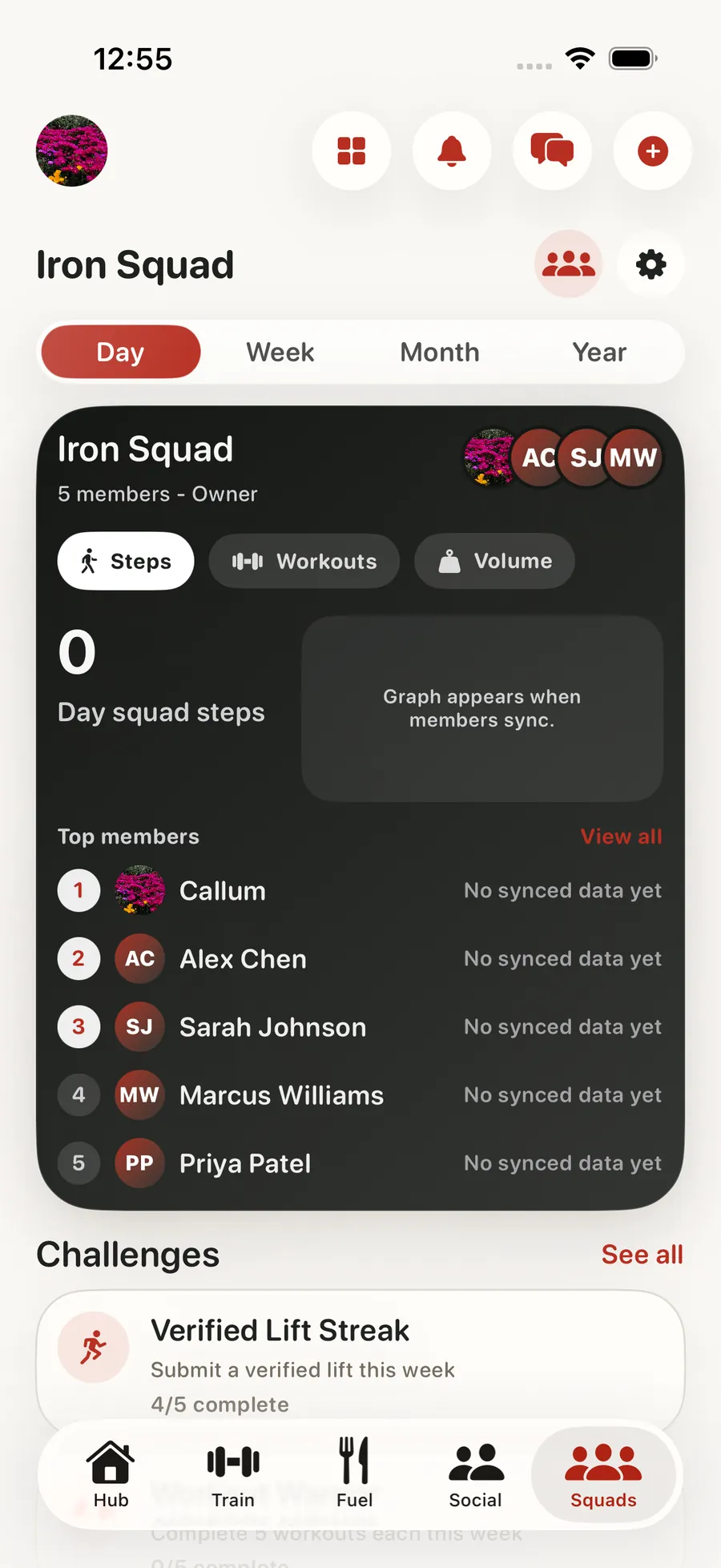
Most people who stick with training have one thing in common: they didn't do it alone. Squads give you a small private group (your gym friends, your online lifting circle, the coaching cohort you joined) with its own chat, shared workout feed, and team challenges. It is the place your crew checks in, celebrates PRs, and keeps momentum alive.

Squads in the Forjex app

Overview

A private training crew with something concrete to do together

A Squad is the team layer inside Forjex. Create a group, invite the people you train with, and keep its conversation, reactions, challenges, and leaderboards close to the workouts that generate them. It works for gym friends, remote training groups, coaching cohorts, or any crew that wants more structure than a group chat.

The Squad Pulse is a typed activity stream rather than an unstructured wall of noise. Workouts, personal records, check-ins, reactions, and challenge events can appear as distinct activity. Members can compare several training and recovery metrics in their own units, then move into a custom challenge or Squad-versus-Squad battle when they want a shared target.

01

Private groups with their own chat and feed

02

Team challenges and group leaderboards

03

Workout activity visible only to your crew

04

Group reactions, callouts, and PR celebrations

05

Async-friendly for crews across time zones

Squads connected to another Forjex workflow

How it works

Build the crew, then give it a target

Squads connect normal training activity to the accountability loop, so members do not have to report the same work again in a separate group.

  1. 01

    Create and invite

    Set up the Squad, invite members, and establish the private group where its training activity will live.

  2. 02

    Follow the Pulse

    See typed updates for workouts, records, check-ins, reactions, and challenge moments without flattening every event into the same post.

  3. 03

    Run a challenge

    Choose a metric or create a proof-based challenge, track the standings, and carry the result into the Squad history.

Inside the feature

Accountability with real training underneath it

The social layer stays useful because Squad activity and competition are connected to Forjex workouts, health signals, and proof flows.

01

Squad Pulse

See the kind of activity, not just another card

The Pulse distinguishes workouts, achievements, check-ins, challenge events, and other Squad activity. Members can react and respond without turning every completed set into a manually written update.

That gives the group enough texture to celebrate a personal record, notice a quiet week, or follow a challenge without losing the important event in general chat.

02

Leaderboards

Compare more than one kind of athlete

Squad leaderboards can rank steps, workouts, training volume, active energy, distance, exercise minutes, and readiness. Each value is displayed using the viewer’s saved units where conversion is needed.

Multiple metrics let a mixed group compete without pretending that one lift is the only form of progress.

03

Challenges

Create a target around the way the Squad trains

Custom challenges give a Squad a defined goal and time window. Proof-based challenges can use video and AI-assisted judging when the result cannot come directly from a tracked metric.

Members can see the rules and standings in the same place as the activity generated by the challenge.

04

Team battles

Put one Squad against another

Squad-versus-Squad competition extends the challenge loop beyond one group while keeping rosters, submissions, and results attached to the teams involved.

The everyday Squad still works without a competition running. Chat, Pulse activity, and shared training context remain available between events.

Questions

Squads, explained

The practical details people usually want before adding another fitness app to their routine.

What is a Squad in Forjex?

A Squad is a private training group with its own Pulse activity, reactions, chat, leaderboards, custom challenges, and team competition.

Which metrics can a Squad leaderboard use?

Squad leaderboards can use steps, workouts, training volume, active energy, distance, exercise minutes, and readiness.

Can Squads run proof-video challenges?

Yes. A custom challenge can use proof video and AI-assisted judging when the result is not available from a tracked metric.

Can two Squads compete against each other?

Yes. Forjex includes a Squad-versus-Squad competition flow as well as challenges that run within one Squad.

Pre-launch

Put squads in the same place as the rest of your training

Forjex is launching on iOS first. Join the waitlist and we’ll tell you when it is ready to use.

Join the waitlist