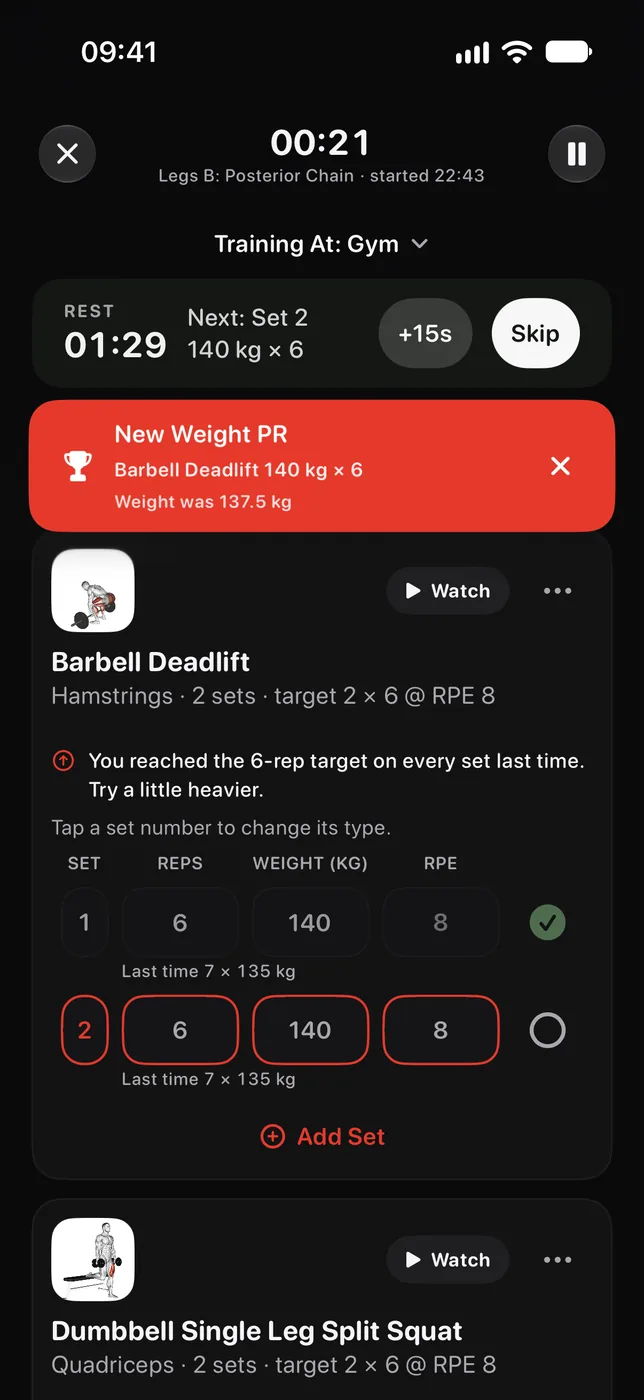
Log Every Set in a Few Taps
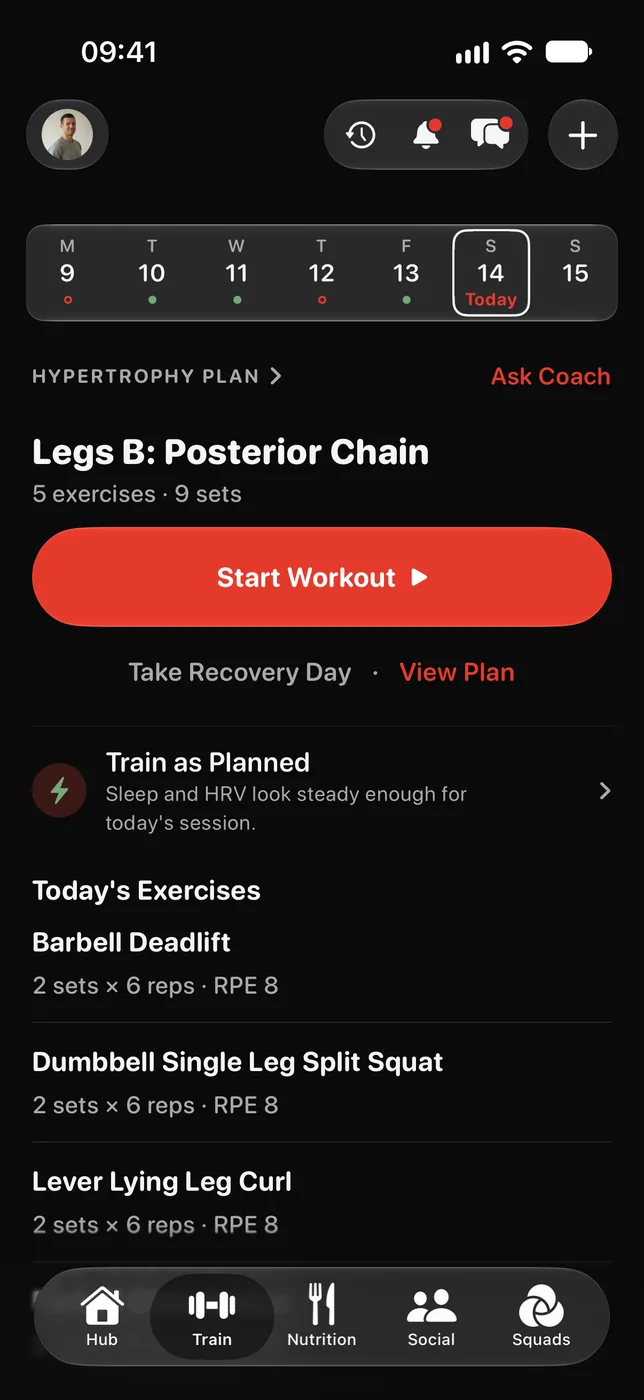
Last time sits under every set, the rest timer runs on the Lock Screen, and a new PR shows the moment you set it.
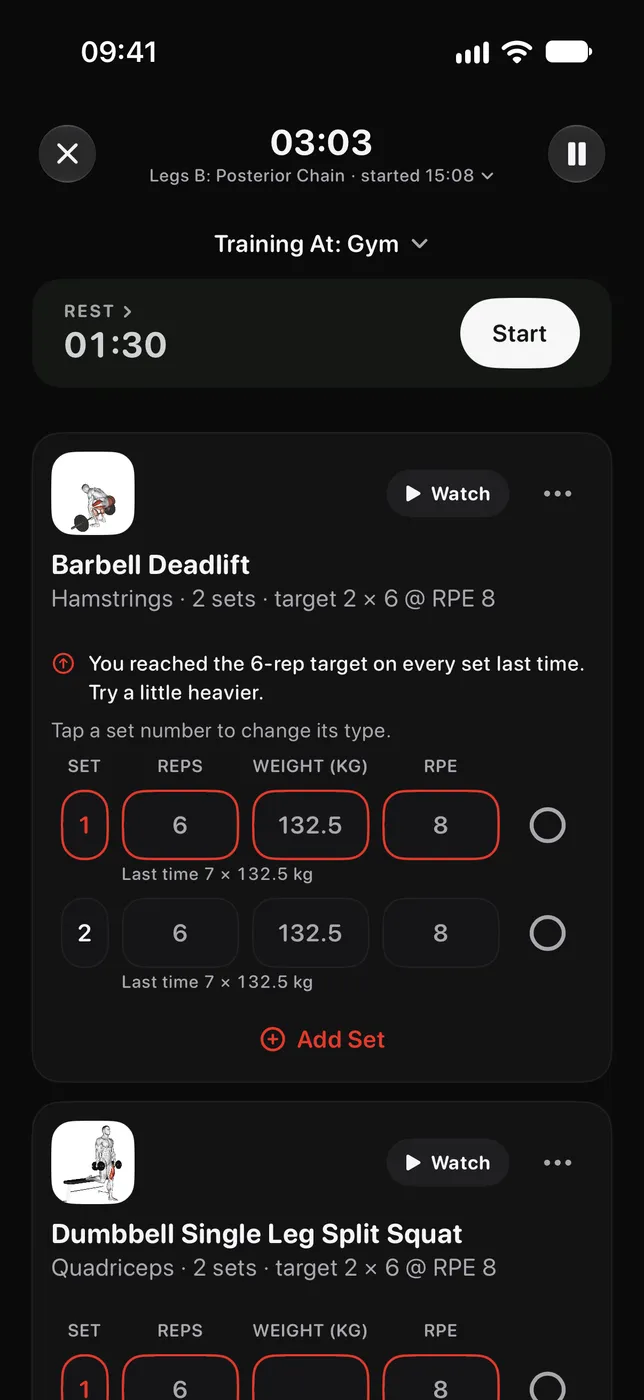
From First Set to Saved Session
Beat Last Time
Under each set, Forjex shows the same set from your last session, in your units. Supersets, timed holds, warm-ups and drop sets log in the same session.
Rest With the Phone Locked
The rest timer runs as a Live Activity, and a notification lands the moment rest ends. Add 30 seconds, skip rest or pause from the Lock Screen.
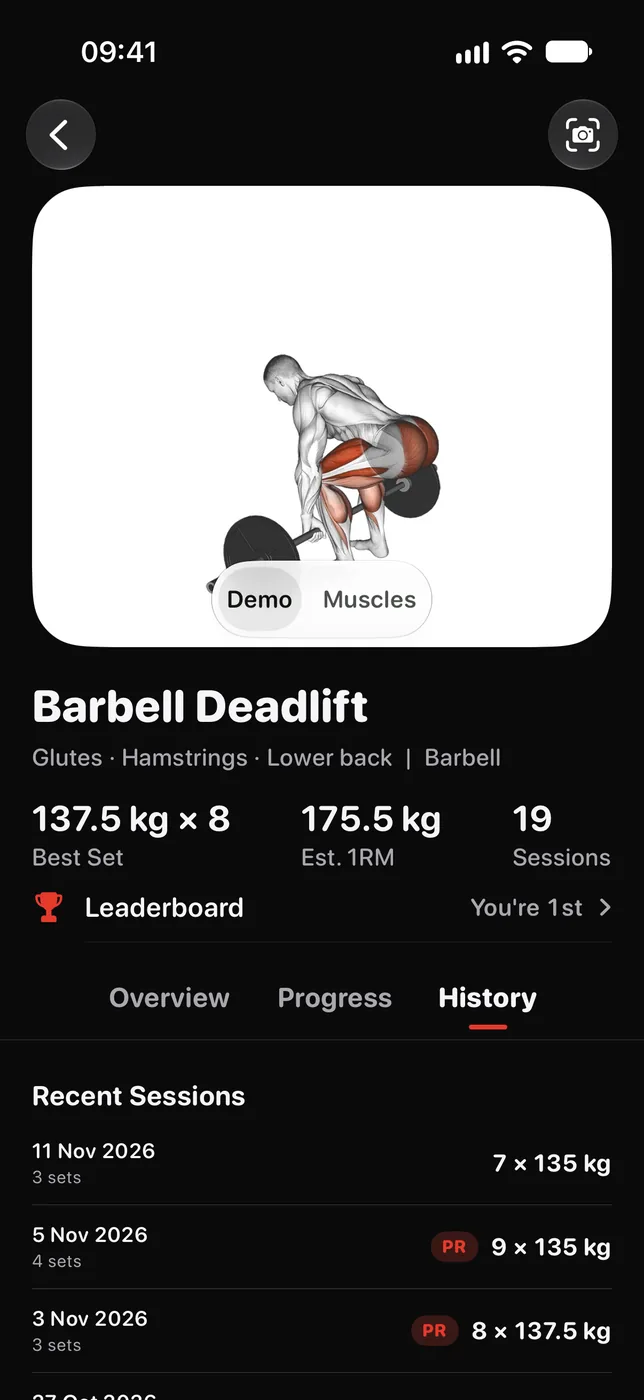
Know Every Exercise
Each exercise has one page: a demo clip, the muscles it works, your best set, your estimated one rep max and your history.
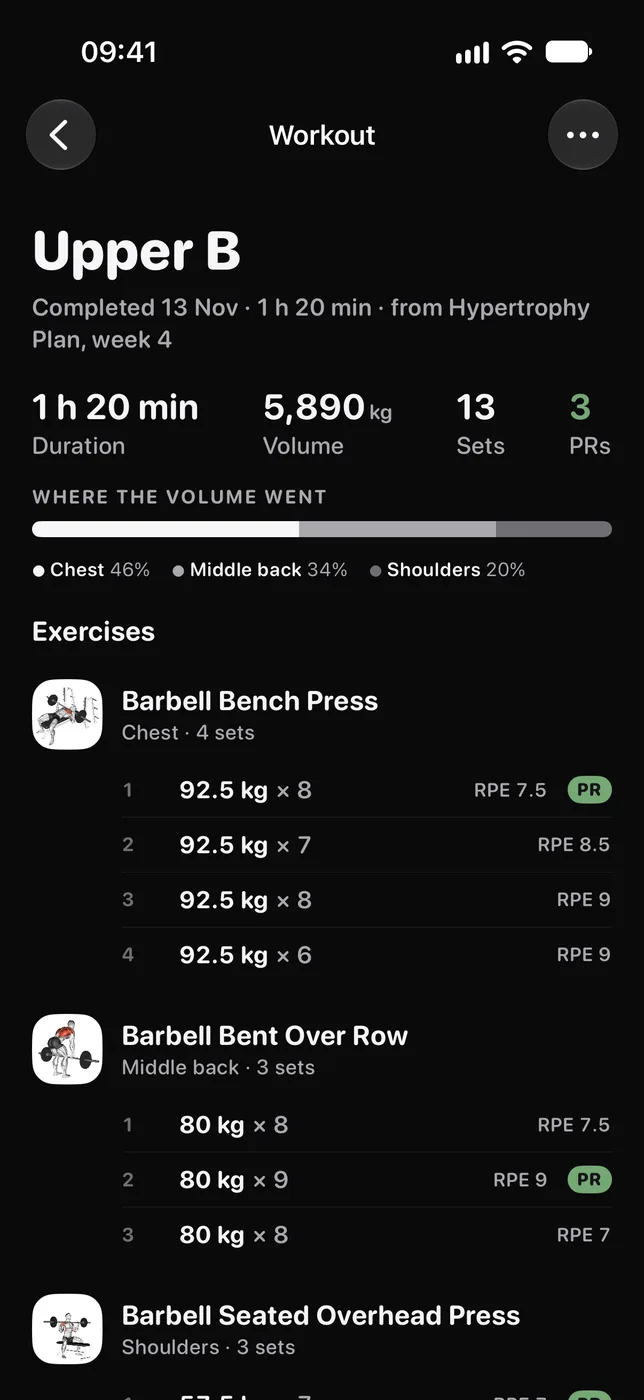
Finish and Share
Finish asks before it saves. The summary shows the time, volume, sets and PRs, and the workout card shares in one tap.

What Workout Logging Does
Apple Watch
Log sets from your wrist on any plan. Workouts from Apple's Workout app come in after you finish.
Swap or Skip
Swap an exercise mid-session, or skip it for today, and the plan stays as it is.
Each Side
Log single-arm and single-leg work as a left and a right row when you want to.
Quick Workout
Train with no plan on a rest day, and the session still counts.
History
Every session set by set, with PRs marked. Fix or remove a saved workout later.
Bring Your Old Logs
Import your workout history from another app's CSV export.
Questions About Workout Logging
- Does it track kilograms and pounds?
- Yes. Forjex stores every weight in kilograms and shows kilograms or pounds by your preference.
- Can I log on Apple Watch?
- Yes. Log sets from the Forjex Watch app on any plan, and the session stays one record with your phone.
- Can I log supersets and drop sets?
- Yes. Supersets, warm-up sets, drop sets and timed holds all log in the same session.
Get In Before the Doors Open
Join the waitlist and we will email you once, on launch day.